
Hero classes
During the first setup you choose a hero class. It defines your avatar, your splash images on app start and the visual style of your character card.
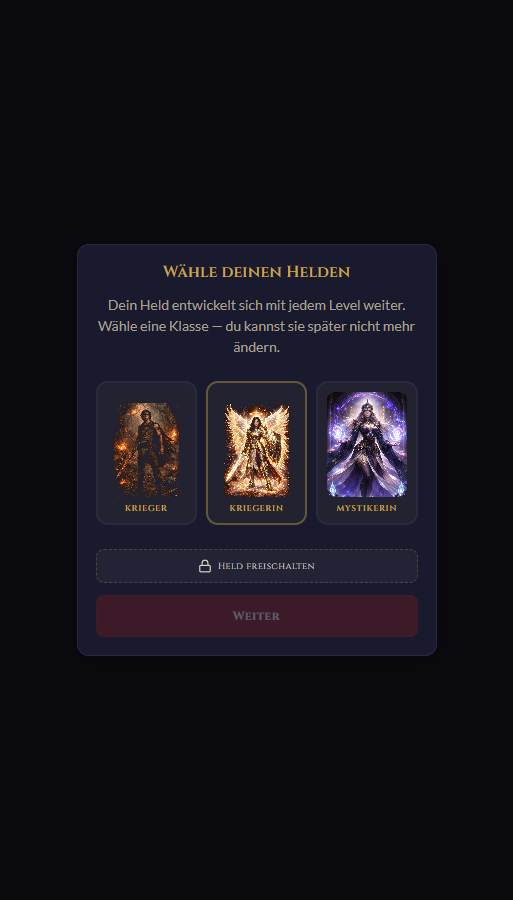
Currently available for free: warrior, female warrior, mystic.
The mechanics | what does the app do
Before we go step by step: here is an overview of the building blocks. What is a quest? What is a ritual? How do companions work? If you want the complete walkthrough, jump straight to the manual.
During the first setup you choose a hero class. It defines your avatar, your splash images on app start and the visual style of your character card.
Currently available for free: warrior, female warrior, mystic.
Not everyone likes swords and fantasy. That is what Official Mode is for: same app, same functionality, but sober wording.
A quest is a task with properties:
Rituals are quests that repeat regularly - daily, weekly, monthly or by a flexible day pattern.
Share quests with other heroes in three roles:
Quest contents are end-to-end encrypted: title and description are stored encrypted on the server.
Recovery code: keep it safe, otherwise encrypted quests can be lost if you forget the password.
Manual with real screenshots from the app
No abstract concepts - concrete steps with images from the app, exact XP values and explanations for every mechanic. If you want to know "how much XP does a quest give?" or "when does my hero lose HP?" - it is here.
Open TaskAsQuest and click "Register". You have two ways in:
Both work - choose what you prefer. During first setup the app creates an encryption key pair and shows you a recovery code. Take a screenshot or download it, otherwise encrypted quests can be lost if you forget the password.
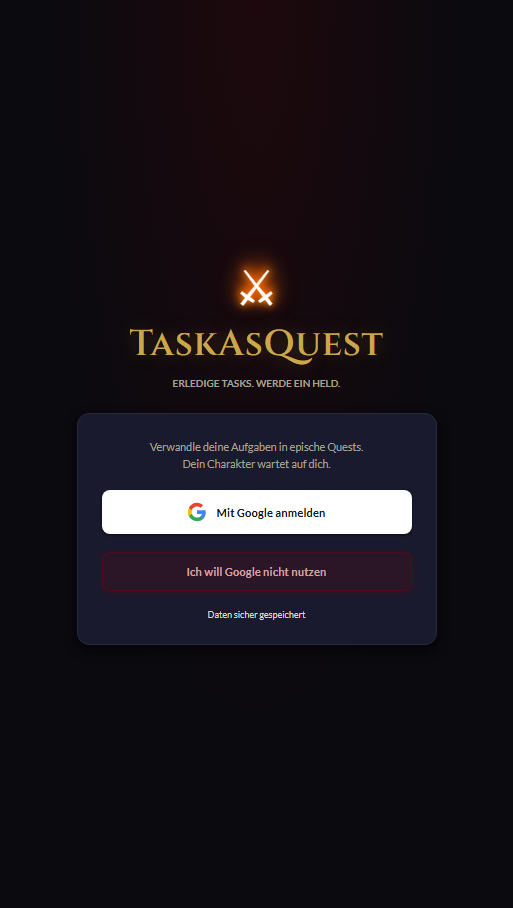
Right after registration you choose Quest Mode (fantasy with heroes, quests and rituals) or Task Mode (plain tasks, brighter style). Both have the same features. You can switch later at any time without losing progress.
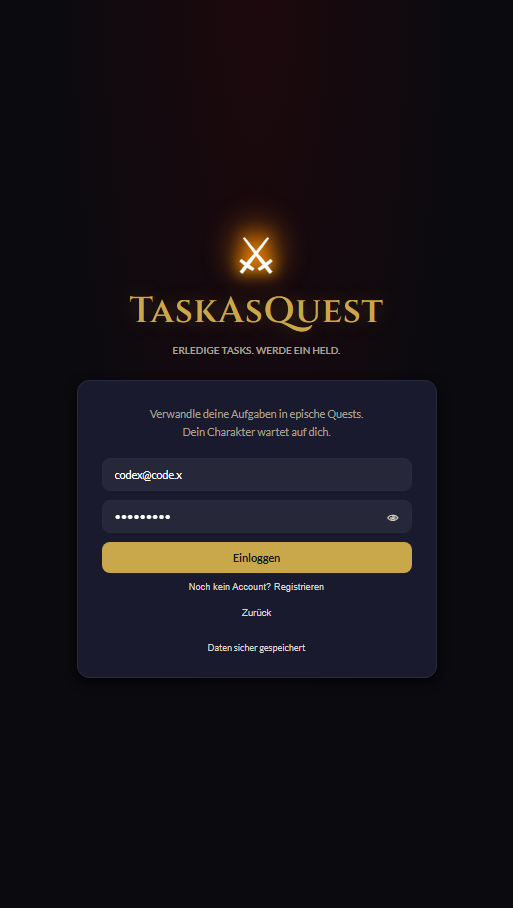
Choose a hero class - currently available for free: warrior, female warrior, mystic. In Task Mode, of course, there is no hero.
Six important views, reachable through the bottom tab bar and the hero area:
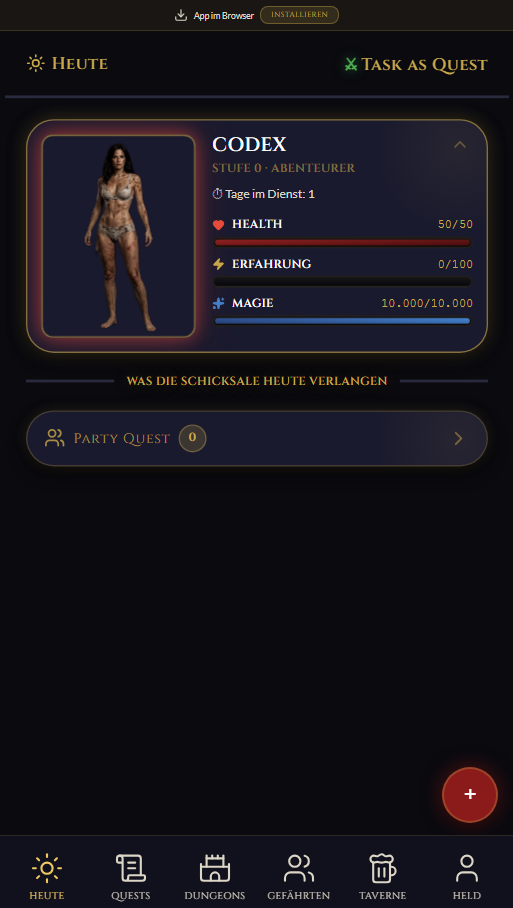
What is due today, overdue or a ritual. Plus the "done today" list with XP balance.
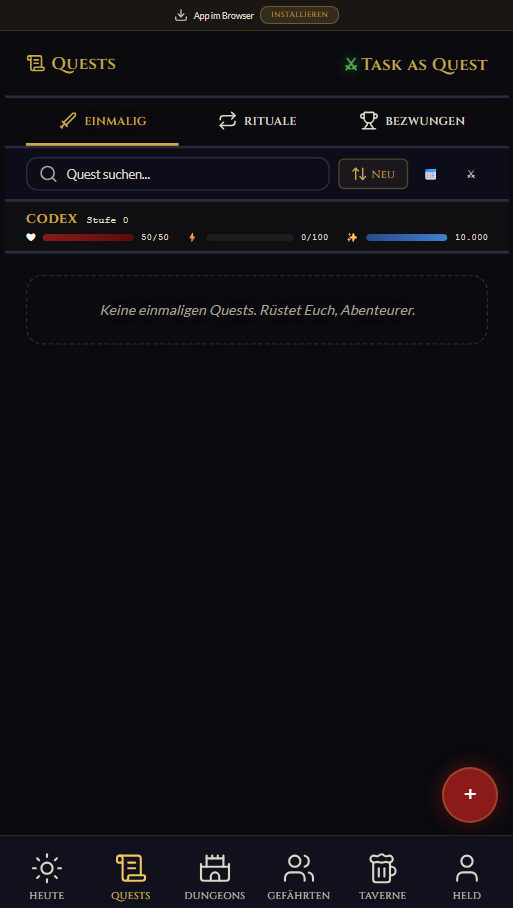
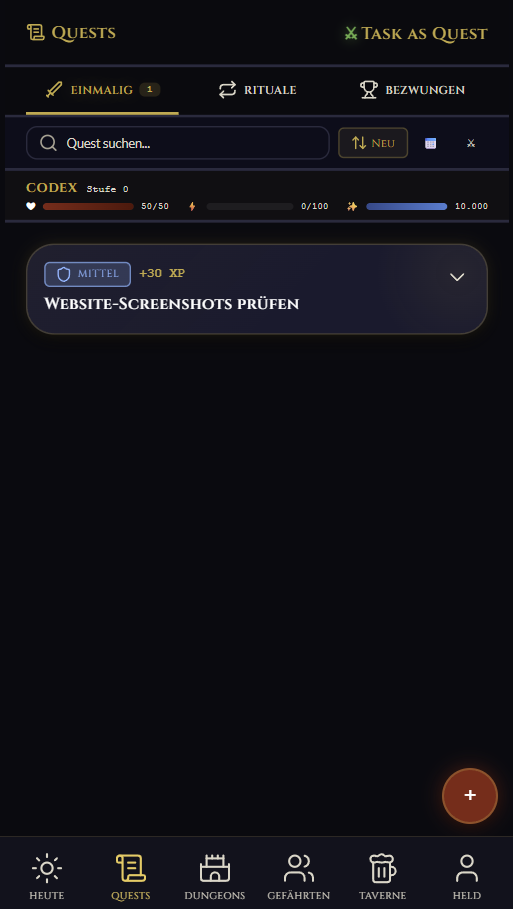
All active quests, sorted by status. Create, edit and archive quests here.
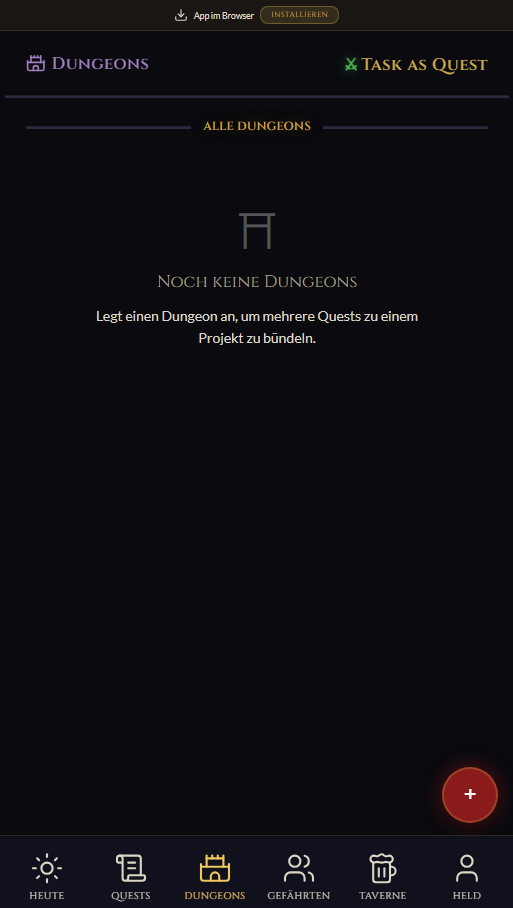
Larger projects with multiple quests. Progress display per dungeon.
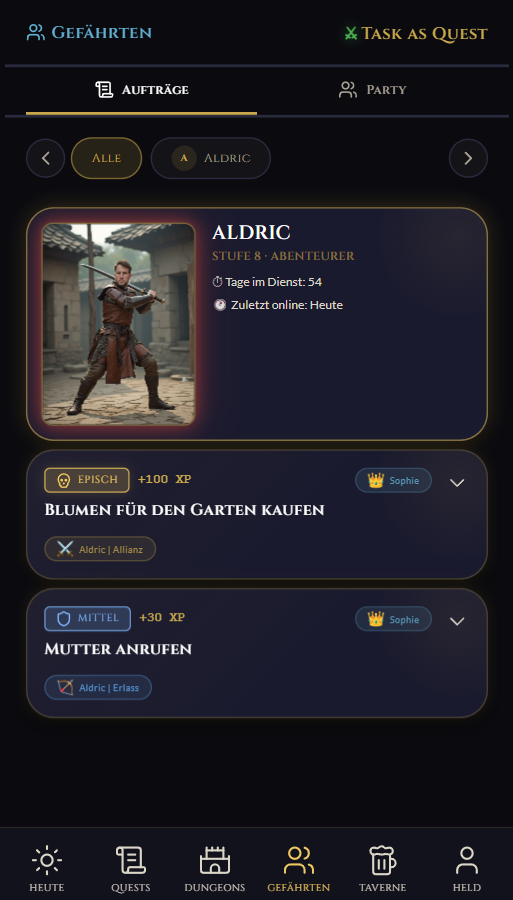
Shared quests sorted by role (alliance / assignment / my duty). Plus online status of companions.
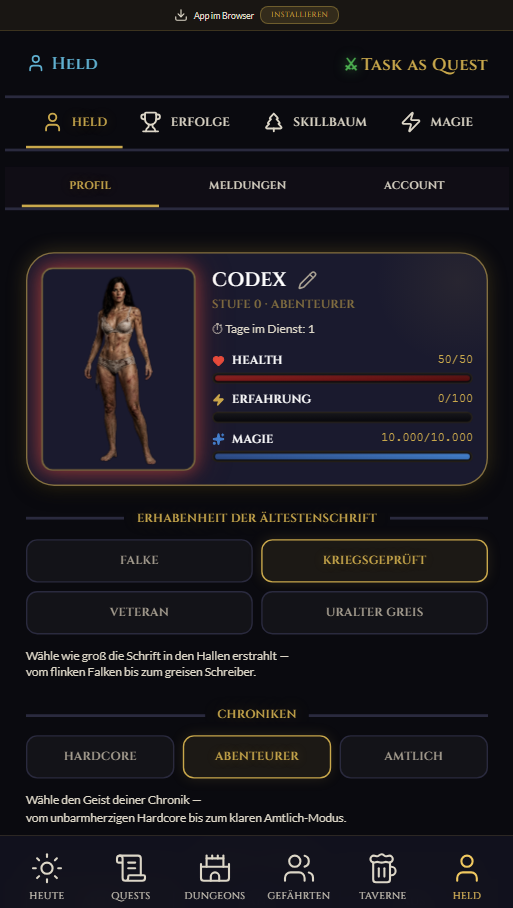
Character sheet with avatar, level, XP, HP, achievements, skill tree and account settings.
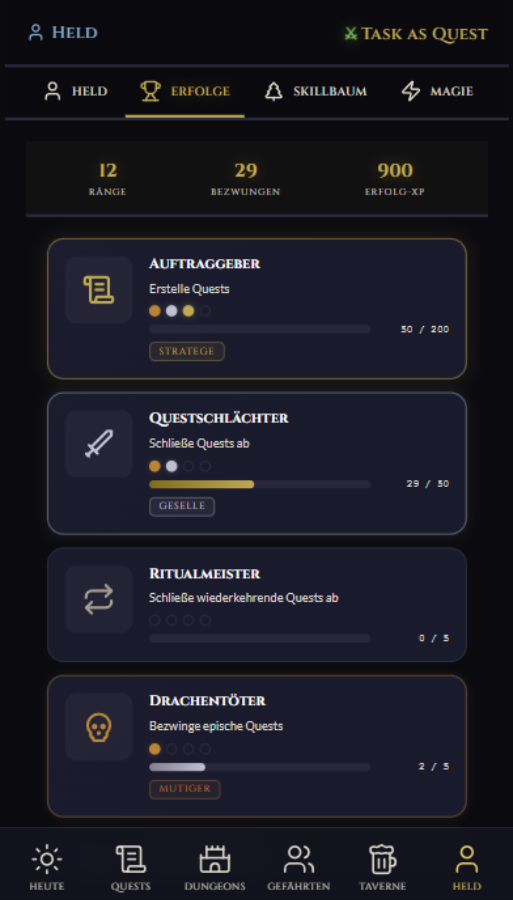
Ranks, conquered quests and progress per achievement. Shows what your hero has already done.
On the Quests page, press the + button. Fields:
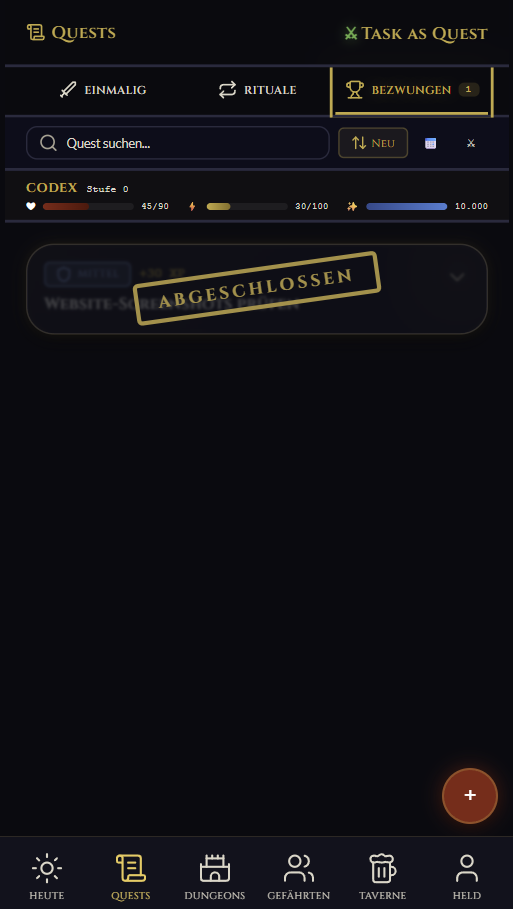
Press the green "Complete" button. The quest moves to "done today", XP is credited and HP cost is deducted. Rituals move on to their next occurrence.
In the hero area you find the Achievements tab. There you see unlocked ranks, conquered quests, progress bars and achievement XP.
Quests give XP, cost HP and lead to skill points through level-ups.
| Difficulty | XP | HP cost |
|---|---|---|
| Easy | +10 XP | -5 HP |
| Medium | +30 XP | -15 HP |
| Hard | +50 XP | -25 HP |
| Epic | +100 XP | -50 HP |
I am still experimenting with these values. The goal is for it to feel fun, but not like pointless clicking where your hero levels up too fast. The app is meant to motivate you personally.
You start at level 0 with 0 / 100 XP toward level 1. With every level-up, the XP requirement for the next level doubles:
That means: early progress is quick, later levels need more quests. Each level-up gives you 1 skill point.
Four skills, each with a maximum of 5 ranks:
| Skill | Effect per rank | Max. effect (rank 5) |
|---|---|---|
| Warrior | +2 max HP per level-up | +10 max HP per level-up |
| Scholar | +10% XP per quest | +50% XP per quest |
| Healer | -2 HP cost per quest | -10 HP cost per quest |
| Mage | +50 magic per day | +250 magic per day (total 2,750) |
Skill points are assigned permanently - there is no reset.
Magic is the daily resource for AI functions, such as quest suggestions or recipe analysis. Default limit: 2,500 per day, reset at midnight.
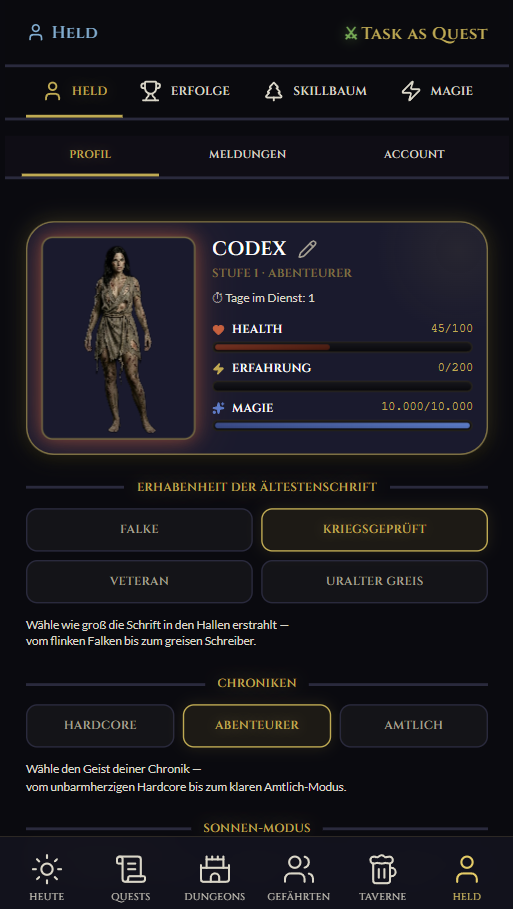
The hero profile shows current level, XP bar, HP bar, skill distribution and achievements.
HP prevents checkbox spam. If you complete a lot, you need to recover through tavern, water, meal or powernap.
Every quest completion deducts HP - exactly 50% of the XP reward. Heavy quests are felt, but not brutal.
| Difficulty | HP cost | XP reward |
|---|---|---|
| Easy | 5 HP | 10 XP |
| Medium | 15 HP | 30 XP |
| Hard | 25 HP | 50 XP |
| Epic | 50 HP | 100 XP |
HP is the trick that stops you from just creating quests and immediately clicking them away. That is not the point of the app. If you really did a task but your hero does not have enough HP right now, you can still complete the quest - just without XP gain and without HP loss.
The Healer skill reduces the cost. Max HP increases by +10 on level-up, plus 2 per Warrior rank. Start: 100 HP.
If your hero has too little HP, expensive difficulties are greyed out when creating a quest:
This blocks click spam: if someone tries to use the app as a pure checkbox list, the HP brake kicks in and they need to recover.
The tavern is the healing centre. Three core actions have real cooldowns:
| Activity | Effect | Cooldown |
|---|---|---|
| Water | +10 HP | 1x per hour |
| Meal | fills to 90% max HP | 1x per day |
| Powernap | +30 HP | 1x per day |
The meal is the emergency button: no matter how far you fell, once per day it brings your hero back to 90% max HP.
In the tavern you can maintain a pantry. Add ingredients you have at home. The app can use AI to suggest meals from them. The result is labelled:
That connects real activity - cooking and eating - to hero progress. The pantry is not public; it is your own inventory. That means you can answer your three-year-old's question "what are we eating today?" even when you have no energy to think: open the tavern and roll three suggestions.
When creating a quest, you can assign other heroes. There are three roles:
"Complete together"
Both are responsible. Whoever completes first receives full XP and pays the HP cost; the other gets half XP. Both see the quest in their list.
"Hand over to"
You delegate to a companion. They are responsible and receive full XP on completion. You see it as assigned and can pull it back if needed.
"Just inform"
The companion can see the quest but is not responsible. When you as owner complete it, they get an acknowledgement button and it disappears from their list.
For rituals, only the alliance role is allowed - assignment and my duty do not make semantic sense for recurring tasks.
Companion view: shared quests sorted by role, with online status of companions.
A ritual quest appears repeatedly. Available patterns:
Missed rituals move into the overdue bucket on the Today view, with a warning sign. After the next period expires, it counts as missed - no XP, but the next occurrence appears automatically.
Achievements are meant to motivate you and make visible what you have already done. The values and tracks may still change while I keep testing what feels good and does not turn into mindless checklist grinding.
| Achievement | Bronze | Silver | Gold | Legendary |
|---|---|---|---|---|
| Quest giver | Beginner · 1 | Planner · 10 | Strategist · 50 | World shaper · 200 |
| Quest slayer | Apprentice · 1 | Journeyman · 10 | Master · 50 | Grandmaster · 200 |
| Ritual master | Novice · 5 | Practitioner · 25 | Ritualist · 100 | Eternal · 500 |
| Dragon slayer | Brave one · 1 | Dragon hunter · 5 | Dragon slayer · 20 | Draconic one · 50 |
| Iron will | Steadfast · 3 | Unyielding · 15 | Indestructible · 50 | Immortal · 150 |
| Shield bearer | Watcher · 5 | Defender · 25 | Bulwark · 75 | Fortress · 200 |
| Ascension | Awakened · 3 | Ascender · 7 | Champion · 15 | Legend · 30 |
| Experience collector | Seeker · 500 | Knower · 5,000 | Enlightened · 25,000 | Omniscient · 100,000 |
| Dungeon conqueror | Explorer · 1 | Conqueror · 3 | Dungeon master · 10 | Ruler · 25 |
| Persistence | Purposeful · 5 | Focused · 20 | Resolute · 75 | Unshakable · 200 |
Each new tier gives bonus XP: bronze +50, silver +100, gold +200, legendary +500. Achievements are not a test; they are a small pat on the back so you can see that your everyday effort leaves traces.
Start directly in the web app or jump back to the principle first if you want to understand the idea behind TaskAsQuest.
If something is missing or unclear: support@taskasquest.de.
Get Started
Open TaskAsQuest directly as a web app or install it as a PWA. On Android you have two options: use Google Play or download the APK directly without Google. On iPhone, use the web app in your browser for now — a native iOS app is currently beyond my private budget.
Before you go
TaskAsQuest is free and ad-free. I pay for server, domain and power myself. If you like the app, a small gesture of support means a lot — and of course you can continue without one.